Home / Add your brother or sister to a photo
Add your brother or sister to a photo
Brothers and sisters are supposed to be at the big moments. Upload the family photo and a few pictures of your brother or sister, and see them there with you. The preview is free.
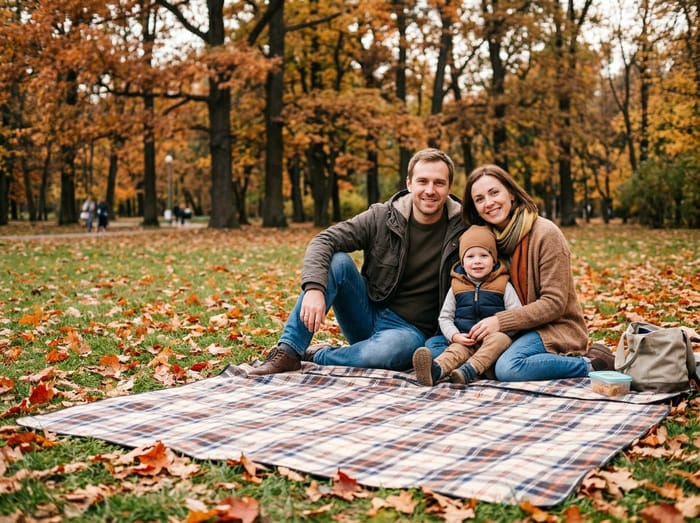 Family photo
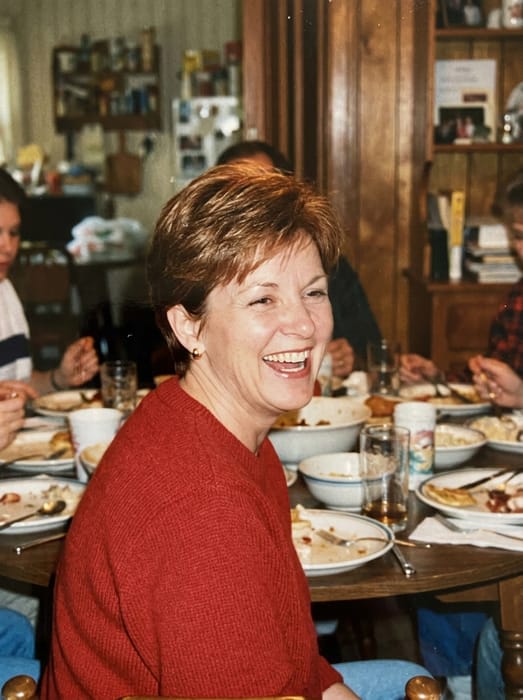 Mom
Mom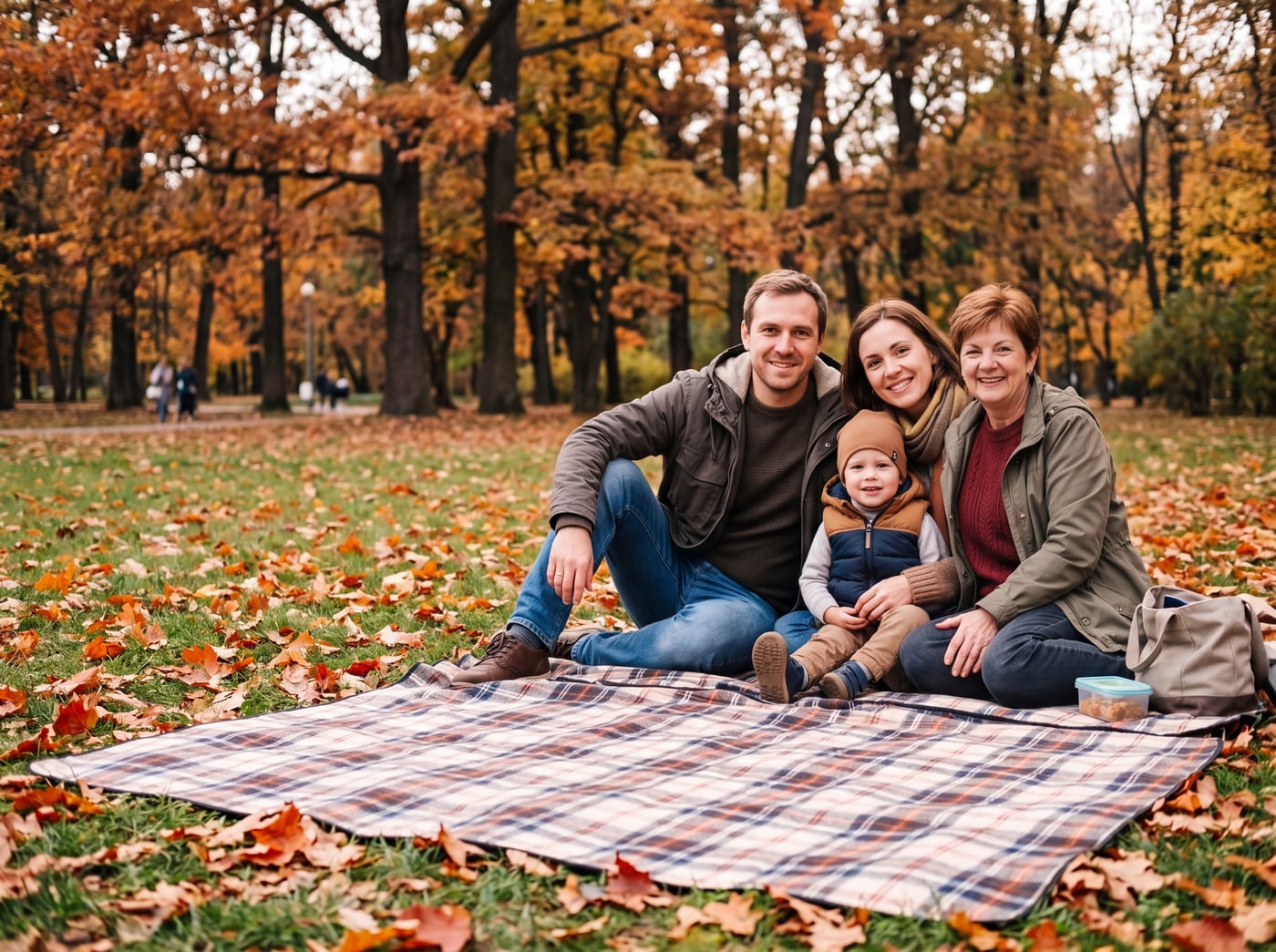 Finished picture
Try it free
The family photo
The picture you want them added to.
Photos of your loved one
A clear photo of their face. Two or three photos help.
Anything we should know?
You can leave this empty.
Free to try. You only pay if you want to keep the full-size picture.
Where families put them
- Next to you at your wedding
- At a family reunion, back with the cousins
- At Mom’s or Dad’s birthday, with the whole family
- In the Christmas photo with their nieces and nephews
How it looks
The example above shows a mom in a park photo. A brother or sister is added the same way. They look the age they are in your photos, so a photo of him at twenty gives you him at twenty, standing beside you.
Everyone else in the photo stays as they are. Tell us where to place them, like "on my left, arm around my shoulder", and we aim to follow it. If the first try is off, change the note.
Photo tips
- For the person you are adding, pick a photo where their face is clear and well lit. Looking toward the camera works best.
- Two or three photos of them from different days help the picture look more like them.
- Old, faded or black-and-white photos are fine. The finished picture is in colour to match your family photo.
- For the family photo, leave a little room where they would naturally stand or sit.
Questions
Does it work for a sister as well as a brother?
Yes. It works for any sibling, and for a half-sibling, step-sibling or a twin.
Can I add them to a photo with our parents?
Yes. Many families add a son or daughter to a photo of Mom and Dad. It can be a gentle gift for a parent.
What if I only have a few photos of them?
One clear photo of their face is enough. More photos from different days help the likeness.